Here’s a complete, illustrated and updated 2025 guide to charging a non-Tesla vehicle at a Tesla Supercharger — adapted for Europe & the Nordics (Sweden, Norway, Denmark, Finland, etc.).
It includes real Tesla App snapshots, a step-by-step flow, adapter info, and pro tips for ensuring compatibility and value-for-money.
But at first – here is the priceplan – prices depends mostly of usage peaks. High price – many cars at charge
4️⃣ Pricing & Idle Fees (as of late 2025)
| Fee Type | Typical Nordic Range | Notes |
|---|---|---|
| Energy (per kWh) | 3.50–5.50 SEK | Varies by site & time |
| Idle fee | up to 10 SEK/min | If you stay plugged after full charge |
| Monthly Membership (optional) | ~120 SEK | Lowers kWh price by ~1 SEK |
(Check app for live rates — Tesla updates per country and time slot.)
⚡️ How to Charge a Non-Tesla EV at a Tesla Supercharger (2025 Europe/Nordics Guide)
1️⃣ Before You Go — Compatibility & Requirements
✅ Check if your car supports CCS2 DC charging
- Almost all European EVs (VW ID, Polestar, Kia EV6/9, Hyundai Ioniq, Volvo EX30/90, etc.) use CCS2.
- You’ll plug this into a Tesla Supercharger via:
- A direct CCS2 cable (if the Supercharger has one), or
- A NACS→CCS2 adapter (if the charger uses the new North American standard connector).
✅ Confirm that the station supports “Non-Tesla vehicles”
- Not all Superchargers are open yet.
- Open the Tesla App → “Charge Your Non-Tesla” → check for a ⚡️Non-Tesla access tag.
- Supported stations will show CCS2 support and allow session start in the app.
✅ Install the Tesla App (required for access and payment)
Available on App Store or Google Play.
You’ll need to create a Tesla Account before you can use any charger.
2️⃣ Create a Tesla Account (App Walk-through)
Here’s how it looks in the app:

Tesla “Create Account” screen — enter your email, name, and password.
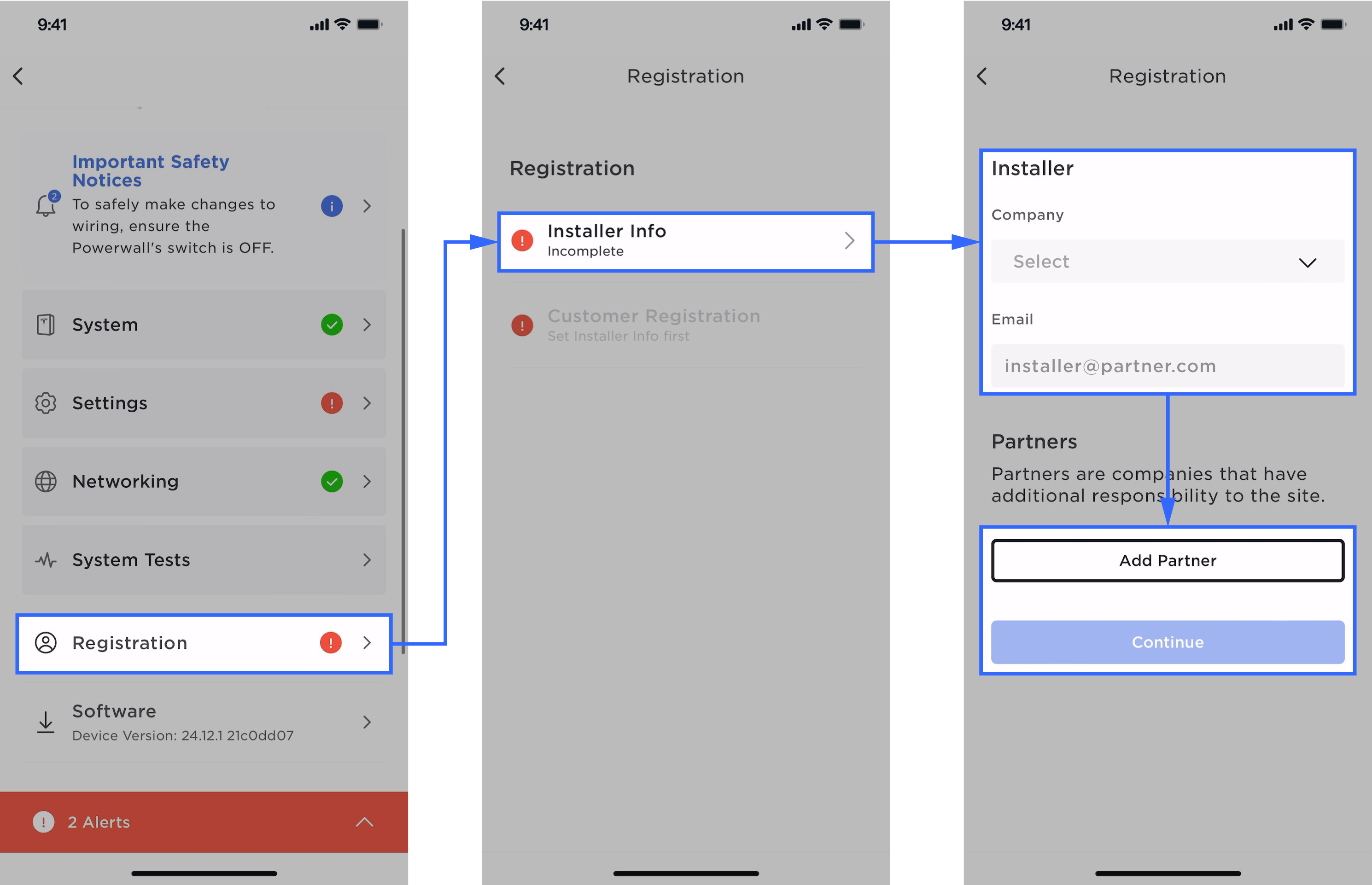
Verification and setup example (you’ll get a confirmation email).
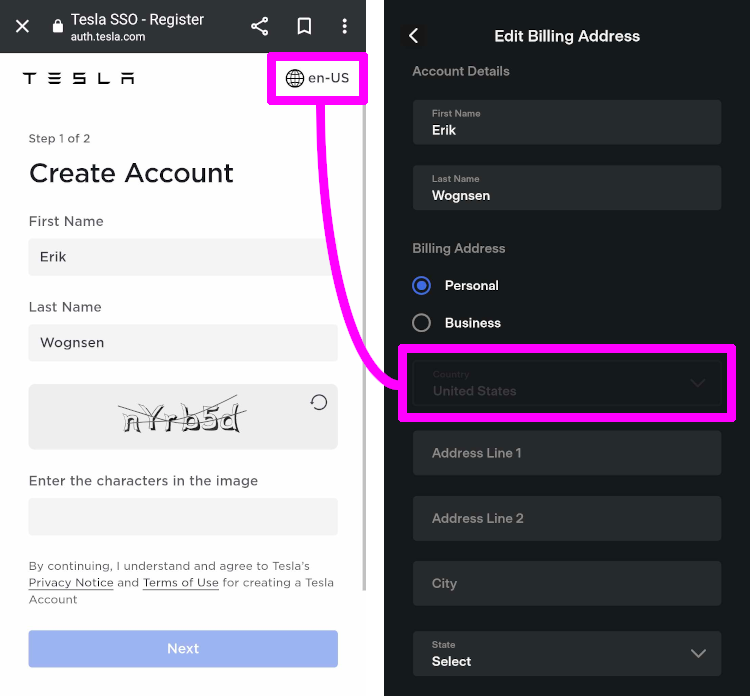
Example of Tesla Account dashboard once logged in
(Note: Tesla app is updated continously- so GUI can deviate from above)
Step-by-step:
- Open Tesla App → tap “Create Account”
- Enter:
- First name, Last name
- Email address (becomes your login)
- Password
- Verify your email (check inbox and confirm link)
- Log in and go to Account → Wallet → Add Payment Method
- Add your credit/debit card (used for charging payments)
- Set your region to Sweden (or your country) to see local pricing
3️⃣ At the Charger — Step-by-Step
- Open the Tesla App → “Charge Your Non-Tesla”
- Select the nearest open Supercharger
- Verify “Non-Tesla Vehicles Supported”
- Park properly
Tesla stalls are tight; center your car so the cable reaches your port.
(Tip: reverse in if your charge port is at the rear.) - Plug in:
- If charger has CCS2 cable → plug directly
- If only NACS → attach your NACS→CCS2 adapter to your car first, then plug in
- Start session via app
- Tap “Start Charging” → the charger locks and begins supplying power
- The Tesla App shows kWh, price, and power in real time
- Monitor & finish
- Stop session in the app
- Wait until the plug unlocks
- Unplug, reattach adapter (if used), and stow cable properly
- Payment & receipt
- Automatically charged to your Tesla Wallet
- Receipts can be viewed under Account → Charging History
4️⃣ Pricing & Idle Fees (as of late 2025) – shown before
| Fee Type | Typical Nordic Range | Notes |
|---|---|---|
| Energy (per kWh) | 3.50–5.50 SEK | Varies by site & time |
| Idle fee | up to 10 SEK/min | If you stay plugged after full charge |
| Monthly Membership (optional) | ~120 SEK | Lowers kWh price by ~1 SEK |
(Check app for live rates — Tesla updates per country and time slot.)
5️⃣ Safety & Compatibility Tips
- Use only certified adapters (e.g., Lectron, A2Z, Tesla OEM).
- Avoid extension cables — prohibited by Tesla.
- Watch cable tension — some stalls are designed for Tesla’s port position (rear left).
- Some EVs may draw less power than Tesla models due to handshake limitations — still fine for 150 kW+ charging.
6️⃣ Destination Chargers (AC)
If you see a Tesla Destination Charger (at hotels, restaurants, etc.):
- Many have Type-2 connectors, usable by any car with a Type-2 cable.
- Power: 11–22 kW AC — ideal for overnight charging.
- Free or billed by the venue (not via Tesla App).
7️⃣ When It Doesn’t Work
If the charger rejects your session:
- Recheck that the site is marked “Open to Non-Tesla Vehicles.”
- Ensure app payment method is verified.
- Try another stall or restart the app.
- If it still fails — use a CCS2 network like Ionity, Recharge, Circle K, or Mer (many are cheaper per kWh).
🔍 Optional: Adapters That Work Well (EU/Nordic tested)
| Adapter | Type | Max Power | Approx. Price (Nov 2025) |
|---|---|---|---|
| Tesla OEM “Magic Dock” (built-in) | — | up to 250 kW | Included at site |
| A2Z NACS→CCS2 | External | 250 kW | ~2 900 SEK |
| Lectron Tesla→CCS2 (EU spec) | External | 200 kW | ~2 700 SEK |
| Setec Power CCS2 Adapter | External | 180 kW | ~2 300 SEK |
✅ Summary
| Step | What to Do | Tool |
|---|---|---|
| 1 | Install Tesla App & create account | Tesla App (App Store / Google Play) |
| 2 | Add payment method & verify region | Tesla App → Wallet |
| 3 | Find an “Open to Non-Tesla” station | Tesla App → Charging |
| 4 | Plug in (CCS2 or Adapter) | Cable/Adapter |
| 5 | Start charging in app | Tesla App |
| 6 | Monitor, stop session, unplug | Tesla App |
| 7 | Review receipt / history | Tesla App → Charging History |